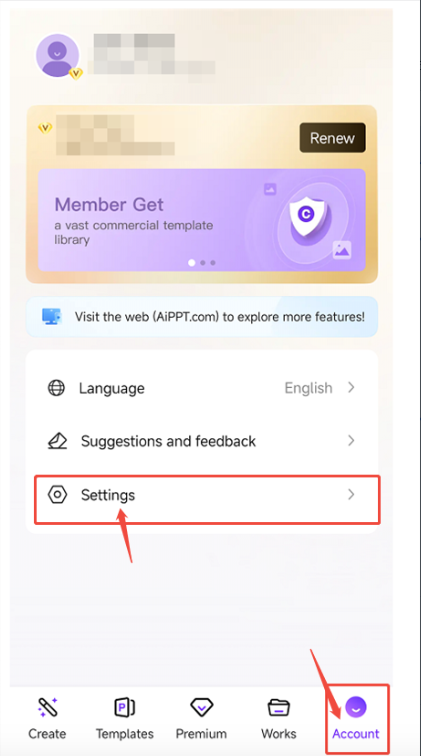
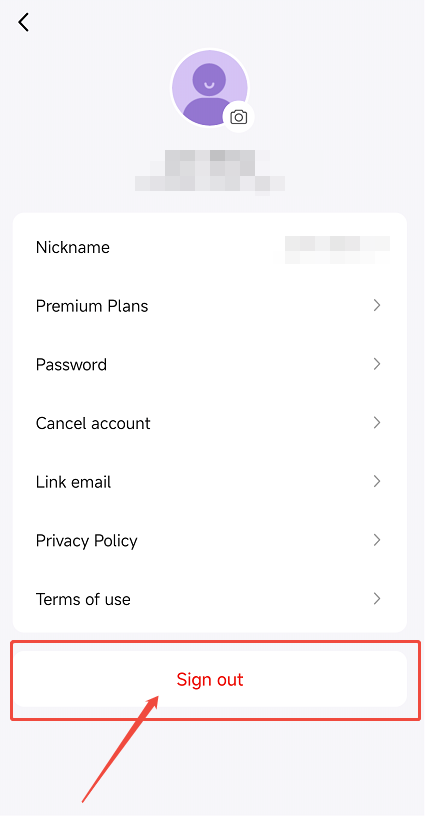
We completely understand your concern. When you use the AiPPT app for the first time, a guest account is automatically created for you. Please log out of your current account by following the steps below to check whether your subscription was activated on the guest account.
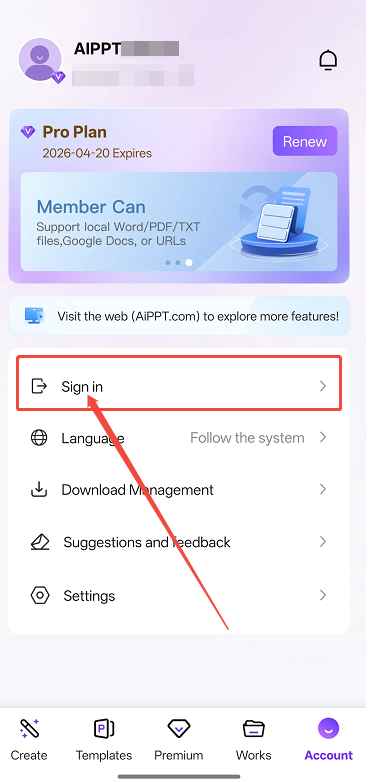
After logging out, please do not sign back in to your personal account. The guest account name is usually in the format AIPPT******.
Step 1:
Step 2:
If you confirm that your subscription was activated on the guest account, you can bind a new email address to that account.
Once the email address has been linked, you'll be able to sign in to the AiPPT website using that email address and enjoy your membership benefits.
Step 3:
Step 4:

Step 5:
